
App-free, hospital wayfinding software

Give every patient, visitor and staff member precise, turn-by-turn directions to any ward, clinic, or department — no app download, beacons, or dedicated Wi-Fi infrastructure.

Set up in days. Updated in minutes.
Accessed in seconds.

Zapworks Spaces is the easiest way to deploy reliable, app-free indoor navigation at your hospital or healthcare organisation. Roll it out without any hardware or Wi-Fi upgrades, maintain it without developer support, and every patient, visitor and member of staff can access it instantly from a QR code or link.

Easy to deploy

No beacon hardware, no Wi-Fi upgrades, no development sprints. Your digital or estates team goes from spatial scan to live navigation in days.

Easy to maintain

When wards move or new facilities open, you can make updates in the no-code editor and publish them instantly. No developer, reprint, or redistribution required.

Easy to access

Patients and staff can instantly navigate via a QR code or link. Spaces is also screen-reader compatible and gives voice-guided directions for blind, low-vision and wheelchair users.

Help every patient find the right ward or clinic first time

Zapworks Spaces gives patients, visitors and staff one shared way to move through a complex hospital estate. Fewer wayfinding questions at reception, fewer patients arriving late and lost, and searchable directions to every ward and clinic.

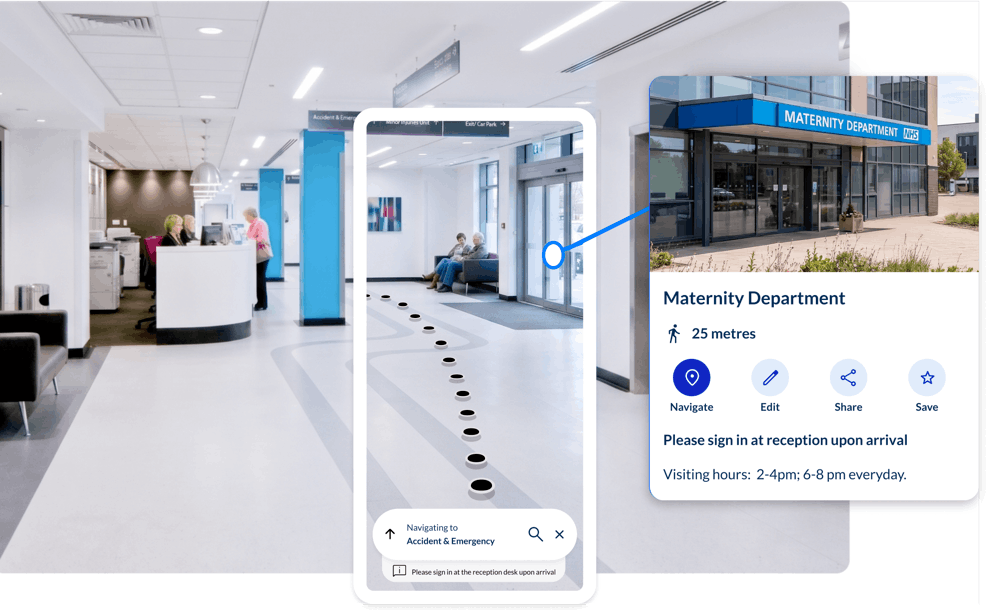
Smartphone showing Spaces turn-by-turn navigation to Accident & Emergency inside a hospital corridor

No wrong turns on the way to the right care

For many patients, arriving at a large hospital is already daunting. Zapworks Spaces changes that by giving every patient, app-free turn-by-turn navigation to the right ward, clinic or department. No wrong turns or missed appointments.

University Hospitals of Leicester NHS Trust reported missed appointments costing £112,000 per month.

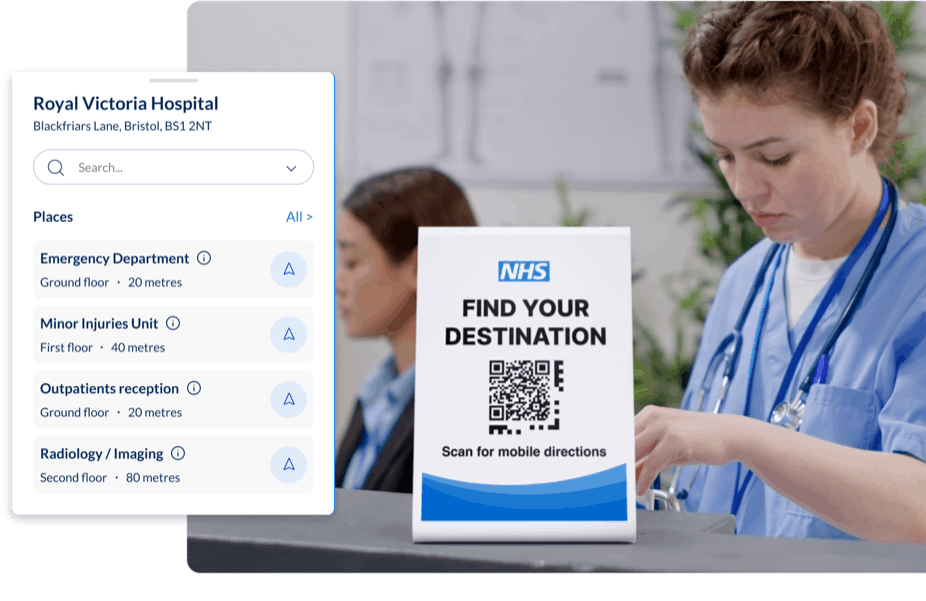
Spaces search screen listing hospital destinations including Emergency Department, Minor Injuries Unit and Outpatients reception

Free your reception team for patients who need them

Your reception teams field the same questions, hundreds of times a day. Where is ward four? Where is the café? Give patients a QR code or link and those questions answer themselves, meaning your team is free for the patients who need more than directions.

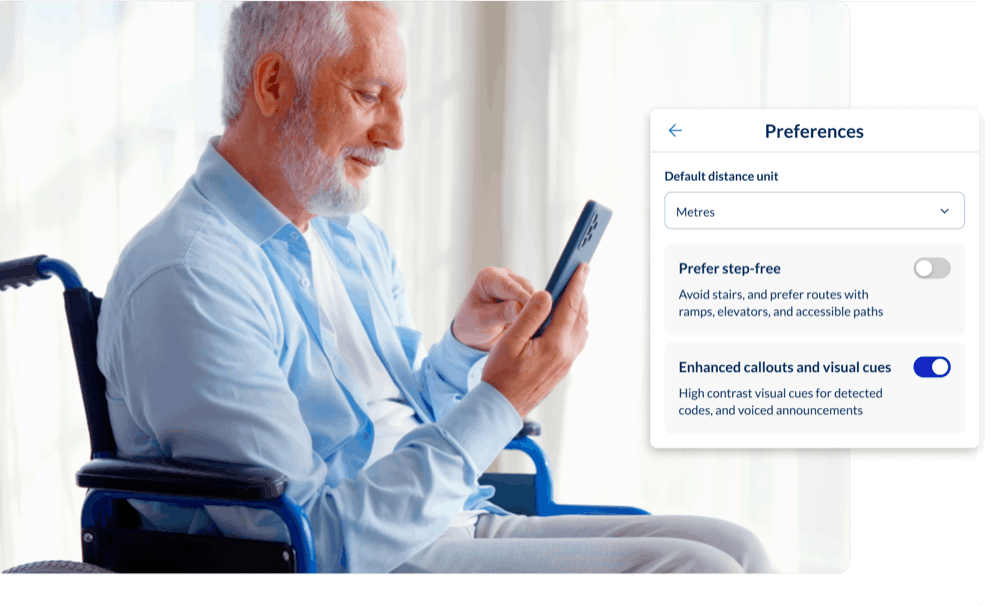
Spaces preferences panel showing default distance units and a step-free routing preference

Make your healthcare estate navigable for every patient

For blind, low-vision, neuro-divergent, and disabled patients, Zapworks Spaces delivers screen-reader-compatible guidance, voice-friendly turn-by-turn directions, and prompts for stairs, lifts, and doors — all within one shared experience.

More tools for hospitals and healthcare estates

Searchable clinical destinations

Every ward, clinic, department, pharmacy, accessible entrance, and patient service is named, categorised, and findable by search — across every floor and building.

Accurate, multi-language support

Add destination names and navigation content in multiple languages to support diverse patient populations and reduce language barriers to appointment attendance.

App-free patient navigation

Patients navigate via QR code or link — no download, no registration, no friction at the entrance. Works on any smartphone across iOS and Android.

Pre-arrival navigation for every patient

Share navigation links inside appointment letters, SMS reminders, and patient portal emails so patients can plan their route before they leave home, reducing missed appointments and saving on staff time.

Accessible navigation built in

Screen-reader-compatible guidance, voice-friendly directions, and contextual prompts for stairs, lifts, and doors — one shared experience for blind, low-vision, neuro-divergent, and wheelchair patients.

Instant, no-code updates across devices

When departments move, wards are renumbered, or new facilities open, staff can make updates live in the editor and publish them immediately. No developers, no reprint, no redistribution.

Designed for hospitals and healthcare groups

Zapworks Spaces is built to meet the data governance, access control, and operational requirements of large hospitals, foundation trusts, and private healthcare groups.

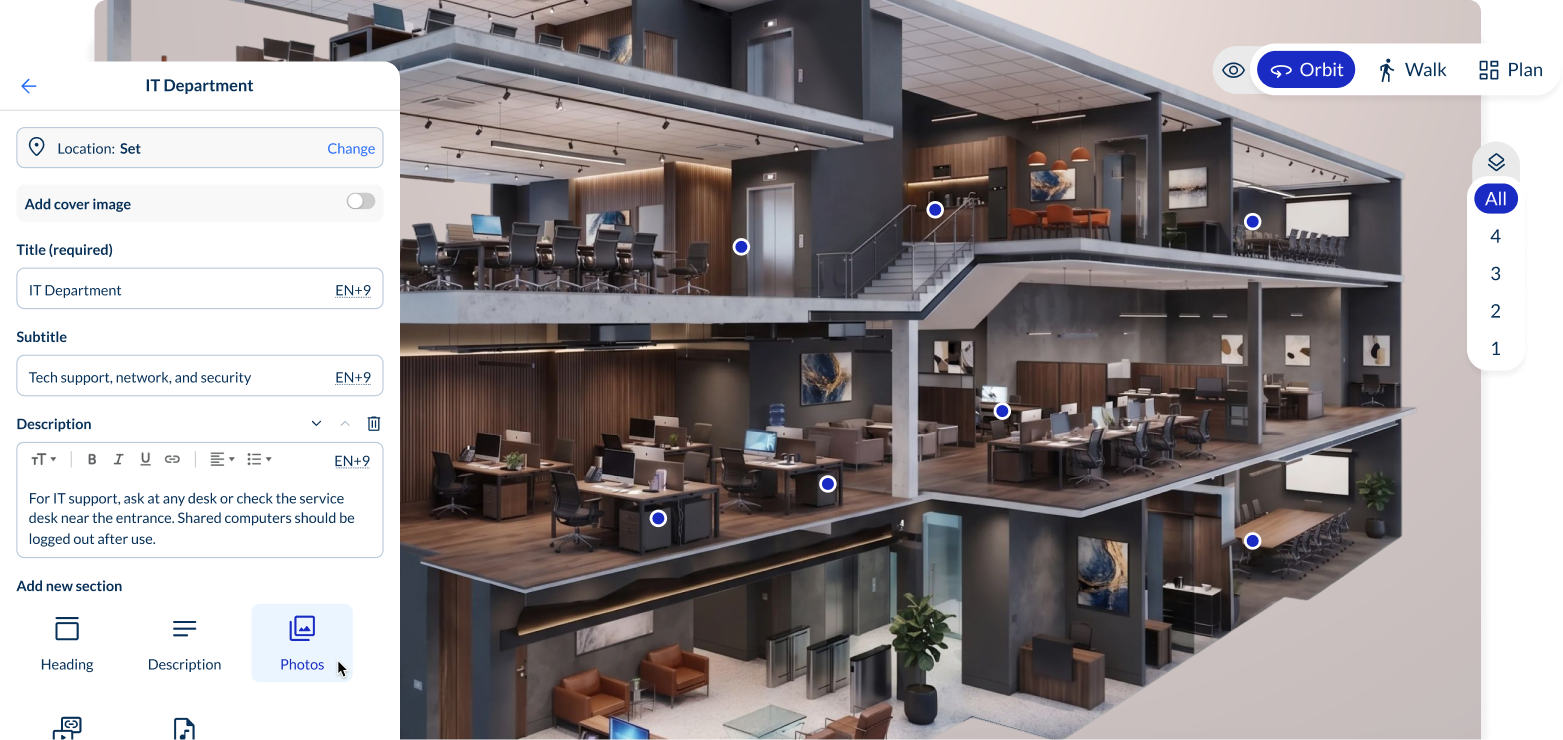
The Spaces content management interface used to manage a hospital estate

Protect patient and site data

Navigation data is never cached on end-user devices, supporting GDPR and healthcare data governance requirements. Private hosting options keep your hospital layout and routing data off shared infrastructure entirely.

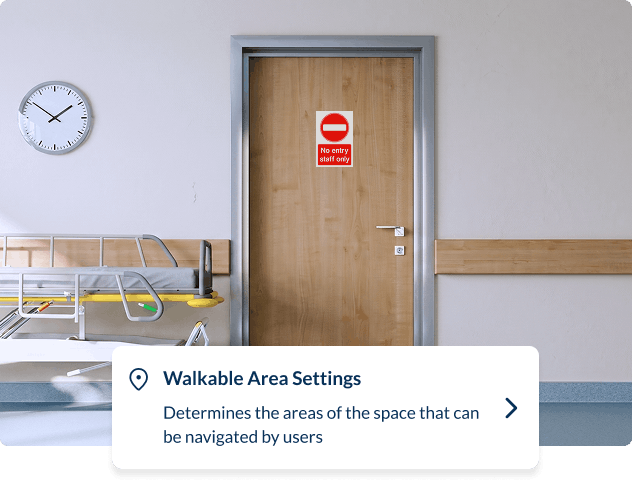
Walkable area settings in Spaces, determining which areas of a hospital can be navigated by users

Control who navigates where

Patients shouldn't reach restricted wards, clinical prep areas, or staff-only zones. Zapworks Spaces supports public access for patient-facing areas and SSO-protected access for staff and contractors — both in the same deployment, managed through your existing identity provider.

Staff publishing an updated hospital navigation experience from the Spaces editor

Deploy trust-wide without adding IT dependency

Zapworks Spaces works via QR codes and links, meaning there’s nothing to provision per patient, no app to version-manage, no hospital Wi-Fi required for positioning. When wards move or new buildings open, staff can make updates live in the editor and every patient scanning in gets the current version immediately.

How healthcare teams deploy Zapworks Spaces

From scan to shareable link in days, not months.

1
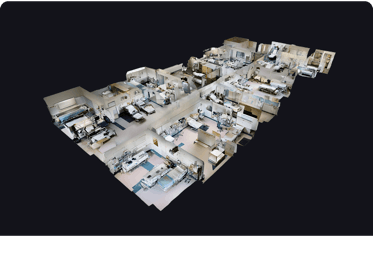
A 3D dollhouse scan of a hospital used to map the estate

Map your hospital and enable VPS

Spaces works with your existing tools and workflows, so you can use an existing 3D scan or capture a new one, then connect it to a VPS provider such as MultiSet or Immersal for precise indoor positioning.

2
Adding searchable destinations and access rules to a hospital Space

Add destinations and access rules

Use Spaces remotely via a web browser on desktop or on the ground using your smartphone to add every searchable destination: wards, clinics, departments, accessible routes, pharmacy, restricted areas.

3
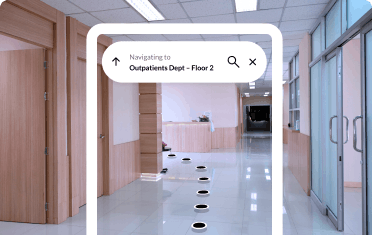
A patient navigating to Outpatients Dept on floor 2 after scanning a QR code

Instantly publish and share

Share navigation via QR codes or links then drop them into appointment letters, SMS reminders or your patient portal. When buildings change or new wards open, updates can be made and published immediately.

Frequently Asked Questions

Everything you need to know about indoor navigation for your hospital or healthcare estate.
What is hospital wayfinding software?

Hospital wayfinding software helps patients, visitors, and staff navigate a healthcare estate — finding wards, clinics, departments, and facilities via interactive maps and step-by-step directions. Zapworks Spaces delivers this through a QR code or link on any smartphone, with no app to download and no IT infrastructure to change. Your digital or estates team configures and manages all destinations using a no-code editor.

Does Zapworks Spaces work as a hospital navigation app without requiring a download?

Yes. Zapworks Spaces works entirely via a QR code or shared link — there is no app to download or install. This makes it practical to deploy at scale: QR codes at hospital entrances, car parks, and information points; navigation links inside appointment confirmation letters, SMS reminders, and patient portal emails. App Clip support is available on iOS for a faster first-launch experience. Nothing needs to be provisioned per patient, and there is no version to manage across a changing patient population.

How does Zapworks Spaces help reduce missed appointments and DNA rates?

Getting lost on a complex hospital site is a documented contributing factor in missed and late appointments. When patients receive a navigation link in their appointment letter and can plan their route before they leave home, the navigation barrier is removed before it becomes a no-show. Spaces supports pre-arrival navigation through links in appointment communications, and on-arrival navigation through QR codes at entrances and car parks. Poor wayfinding does not explain every missed appointment, and we would not claim otherwise, but it is one practical intervention within a wider patient-flow programme.

How does Zapworks Spaces support accessible hospital navigation?

Zapworks Spaces is designed as one shared navigation experience that works for everyone. It delivers screen-reader-compatible guidance, voice-friendly turn-by-turn directions and contextual prompts for stairs, lifts, doors and key landmarks, helping blind, low-vision, neurodivergent and disabled patients move through your estate independently. There is no separate accessibility mode, no specialist hardware and no app download. Patients can also familiarise themselves with the site before they arrive. Step-free and lift-aware routes are configured during setup and should be validated on site before launch.

Can patients use Zapworks Spaces before they leave home?

Yes. Navigation links can be included in appointment letters, SMS reminders, and patient portal emails, allowing patients to plan and preview their route before arrival. This is especially valuable for patients attending a large or unfamiliar site for the first time, or for those with mobility, visual, or anxiety-related needs who benefit from preparation. Pre-arrival navigation works on any smartphone without an app download.

How does Zapworks Spaces work across a large, multi-building NHS estate?

Routes are calculated across walkable areas you define — including floor transitions, outdoor paths, and connections between buildings and wings. Every destination is categorised and searchable, so patients can find any ward or clinic across a multi-building estate without needing to understand the site layout in advance. Each site or building can be configured as its own Space and managed centrally by your digital or estates team.

How does digital wayfinding for NHS trusts handle information governance and data security?

Navigation data is not cached on end-user devices in standard deployments, supporting GDPR compliance and NHS data minimisation requirements. No personal data is collected from patients simply navigating from a QR code or link. Private hosting options are available for trusts with stricter data governance requirements, keeping estate layout and routing data off shared infrastructure. SSO-protected access to restricted clinical and staff areas is managed through your existing identity provider. Camera-frame handling is confirmed and documented as part of the deployment architecture, agreed with your IT and information governance teams before launch.

How is Zapworks Spaces different from app-based hospital navigation systems?

App-based hospital navigation requires patients to download and install an application before their visit, a barrier that reduces adoption, particularly among older patients and those with less digital confidence. Zapworks Spaces works from a QR code or link: patients scan or tap and navigate immediately on any smartphone, with no download and no dependency on hospital Wi-Fi for positioning. Your team manages destinations and publishes updates through a no-code editor, with no developer involvement required.